Learning management for training providers

Bring courses, practice and assessment into one academy.

Manage learners, deliver practical activities, review results and issue branded certificates, all in a complete Arabic and English experience.
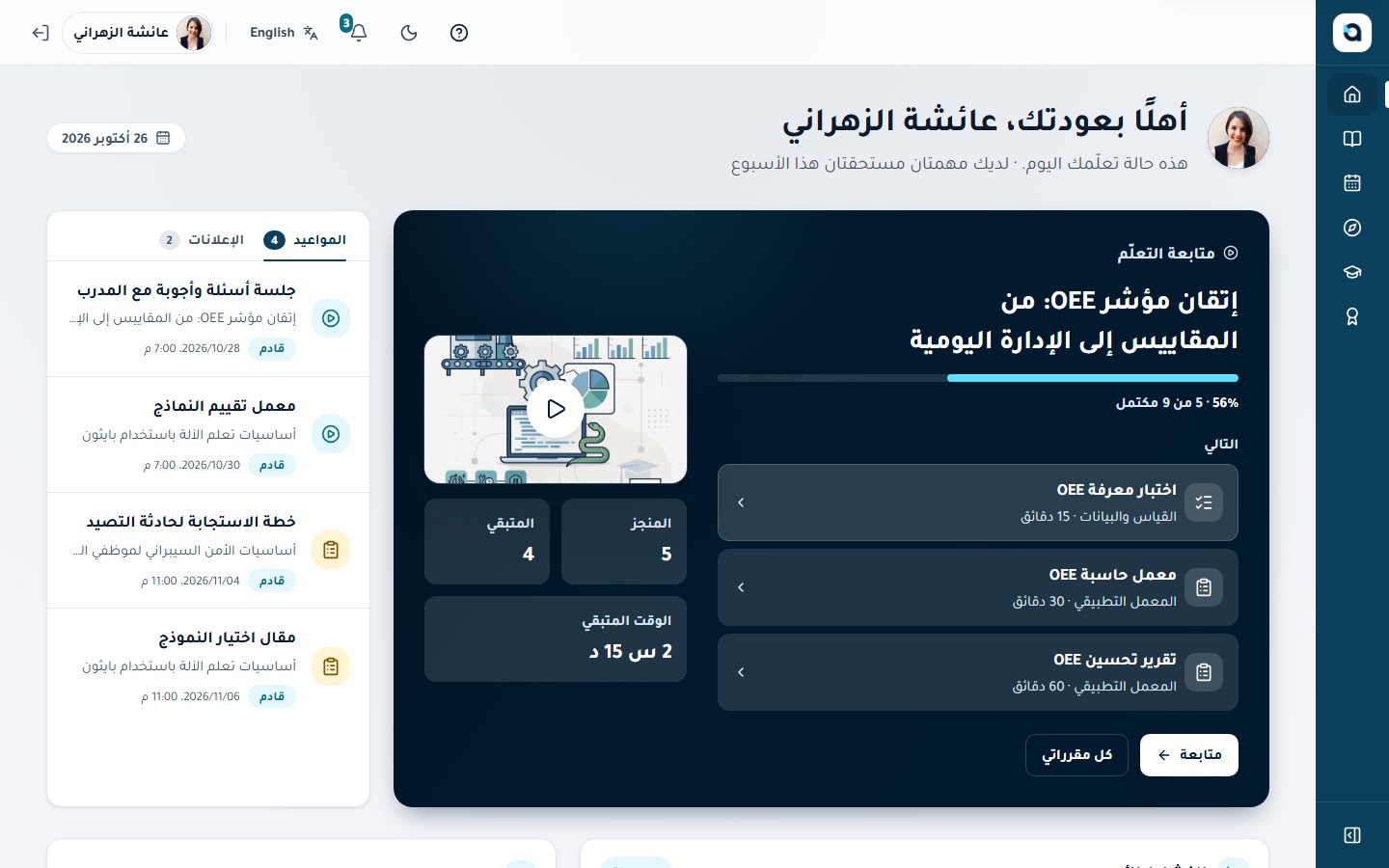
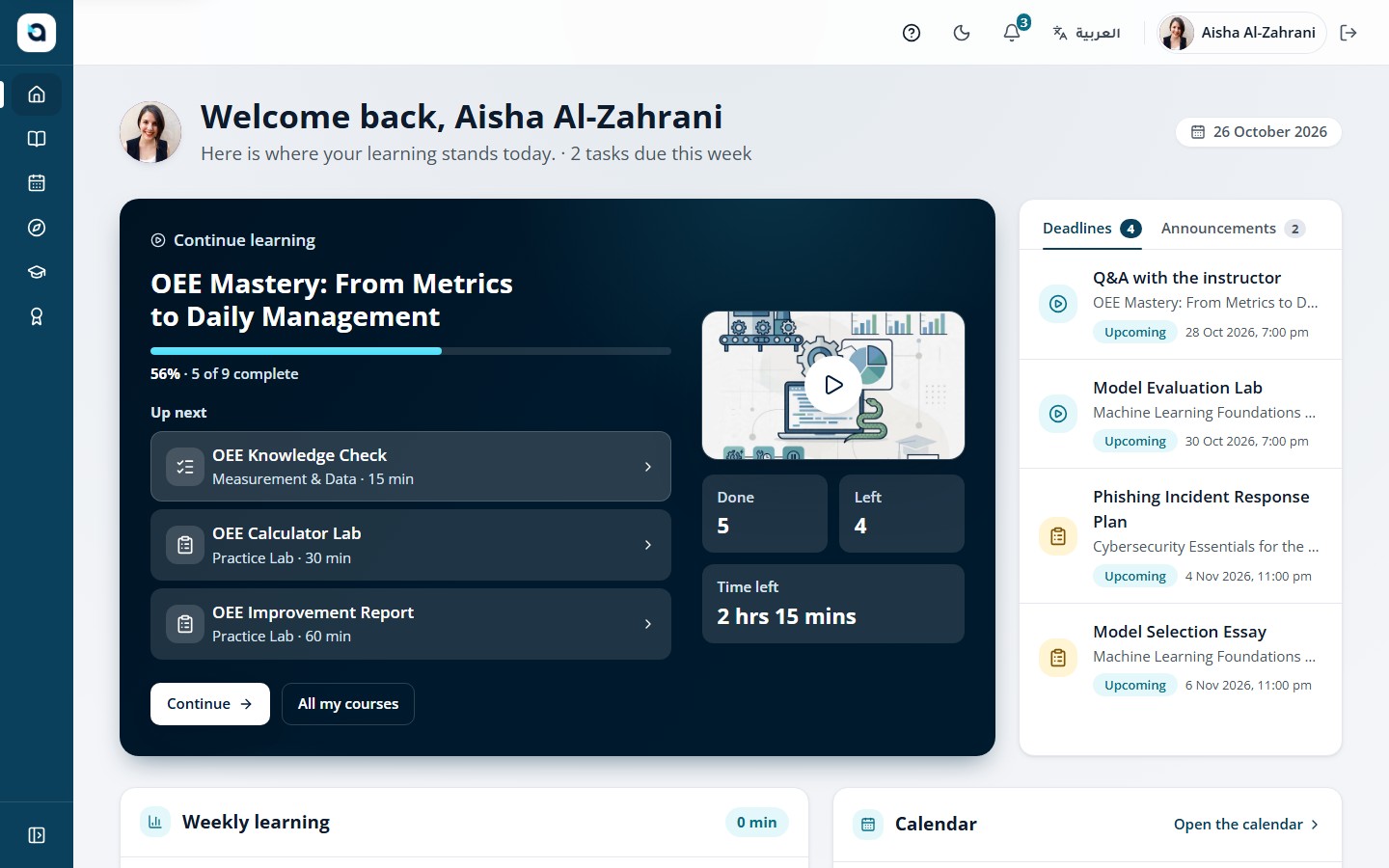
The same learner home and OEE Mastery course in Arabic, laid out right to left Aisha’s learner home in English, resuming OEE Mastery: From Metrics to Daily Management at 56%

From lesson to activity to a verified result.

Follow one learner through a single course.

  1. Discover

    A catalogue that speaks their language

    Learners search by title, filter by category and preview objectives and prerequisites, then join an open course or request a place.
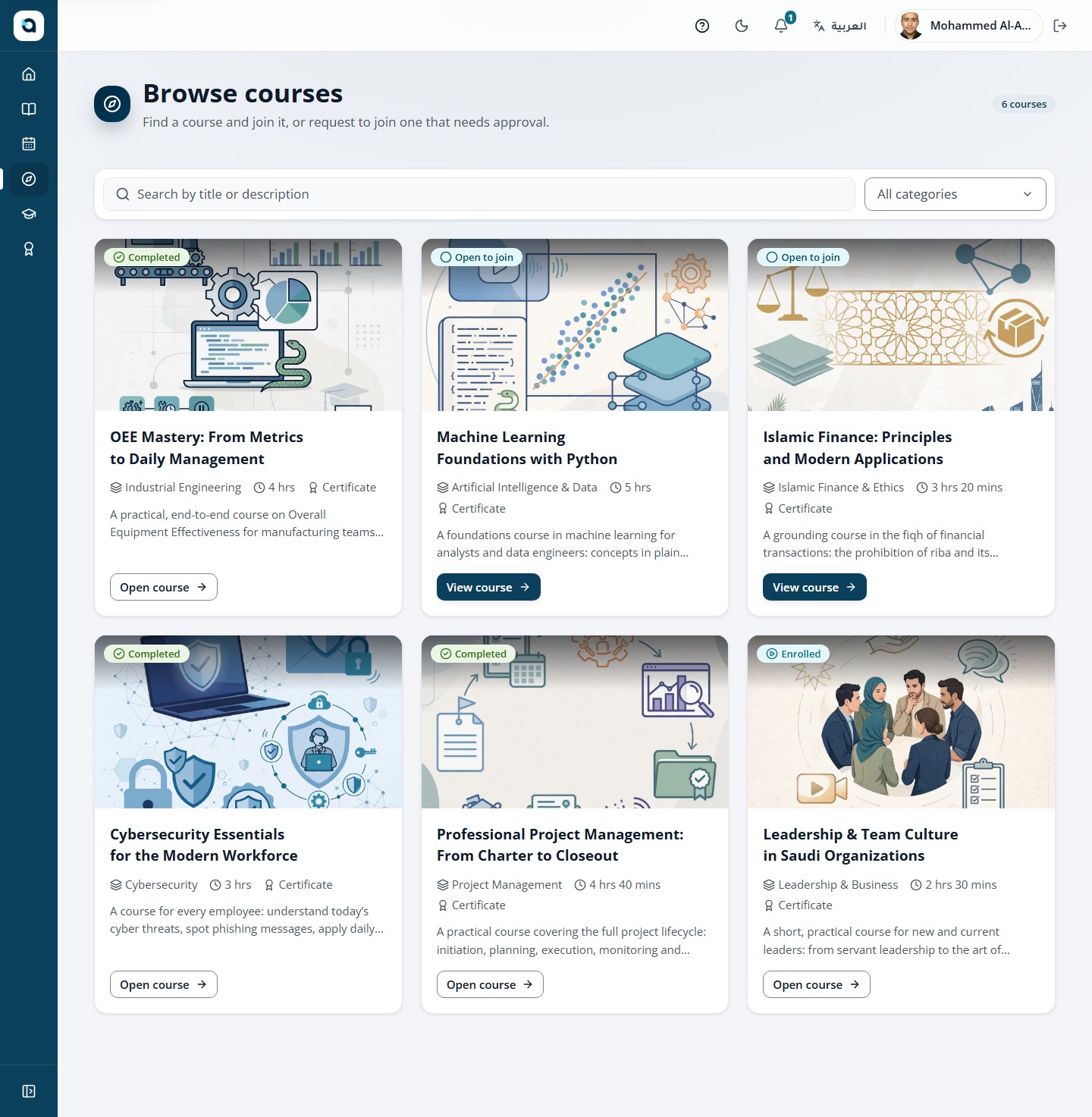
    Course catalogue with categories and course covers
  2. Study

    A lesson with captions in both languages

    Video lessons resume where the learner stopped, with a synchronized transcript and Arabic or English captions.
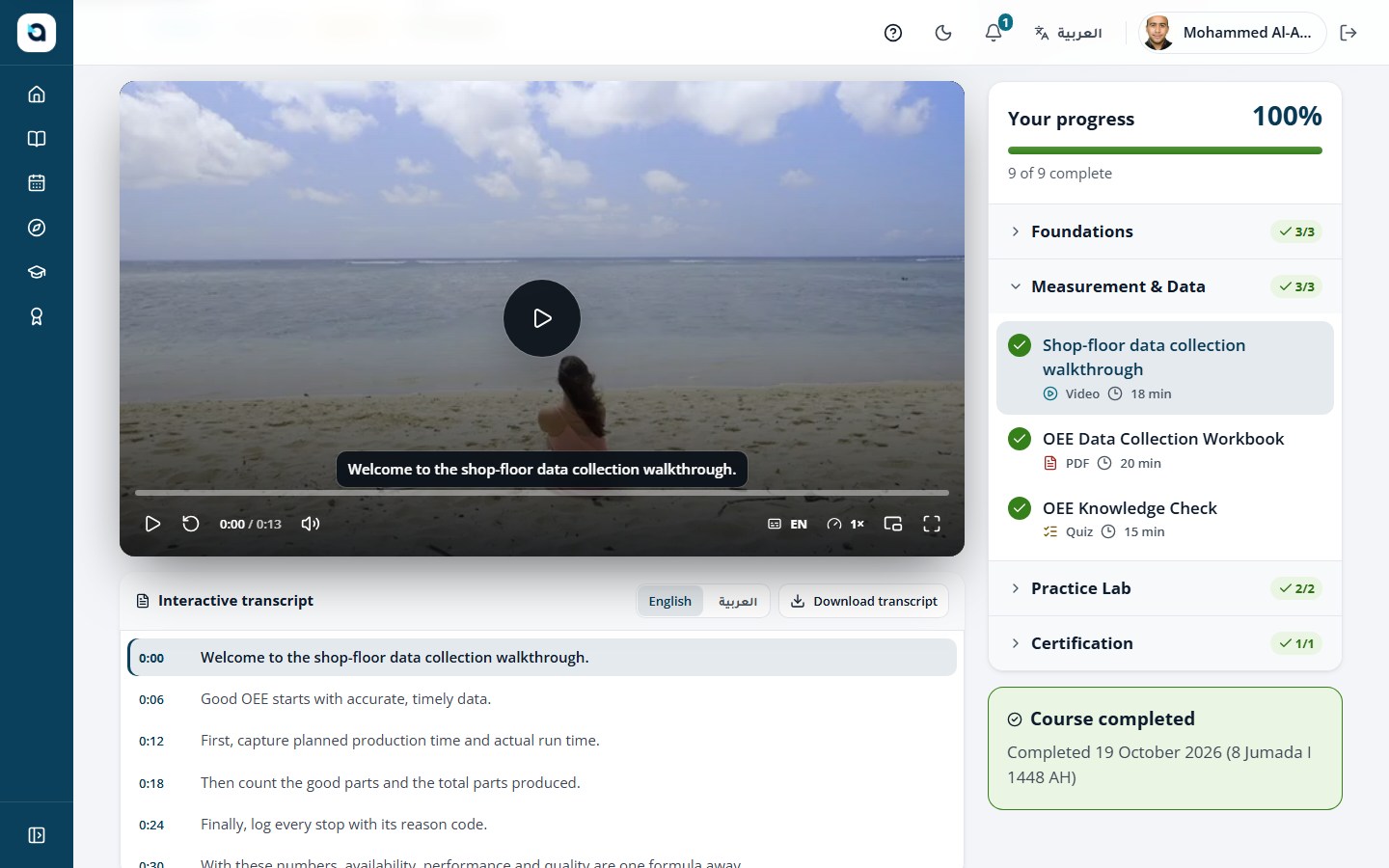
    Video lesson with a synchronized transcript beside the player
  3. Practise

    An activity that applies the lesson

    Learners submit written work or files against clear rules, or practise in a coding lab, and see what happens next.
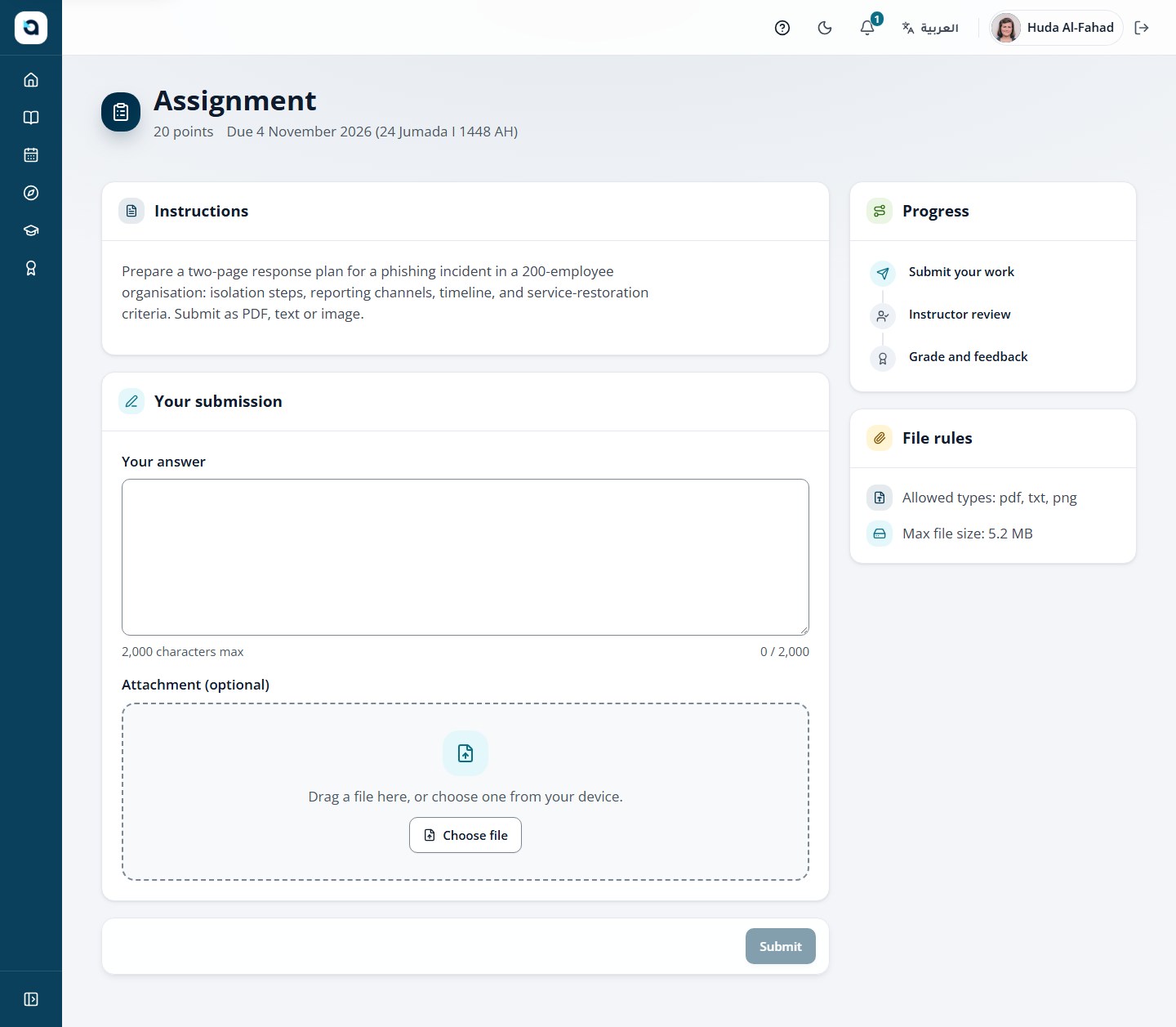
    An assignment page with instructions, an answer field, file rules and the review steps
  4. Prove

    Exams with the oversight they need

    Timed quizzes and exams with the level of monitoring you choose for each one, with the final decision kept by your team.
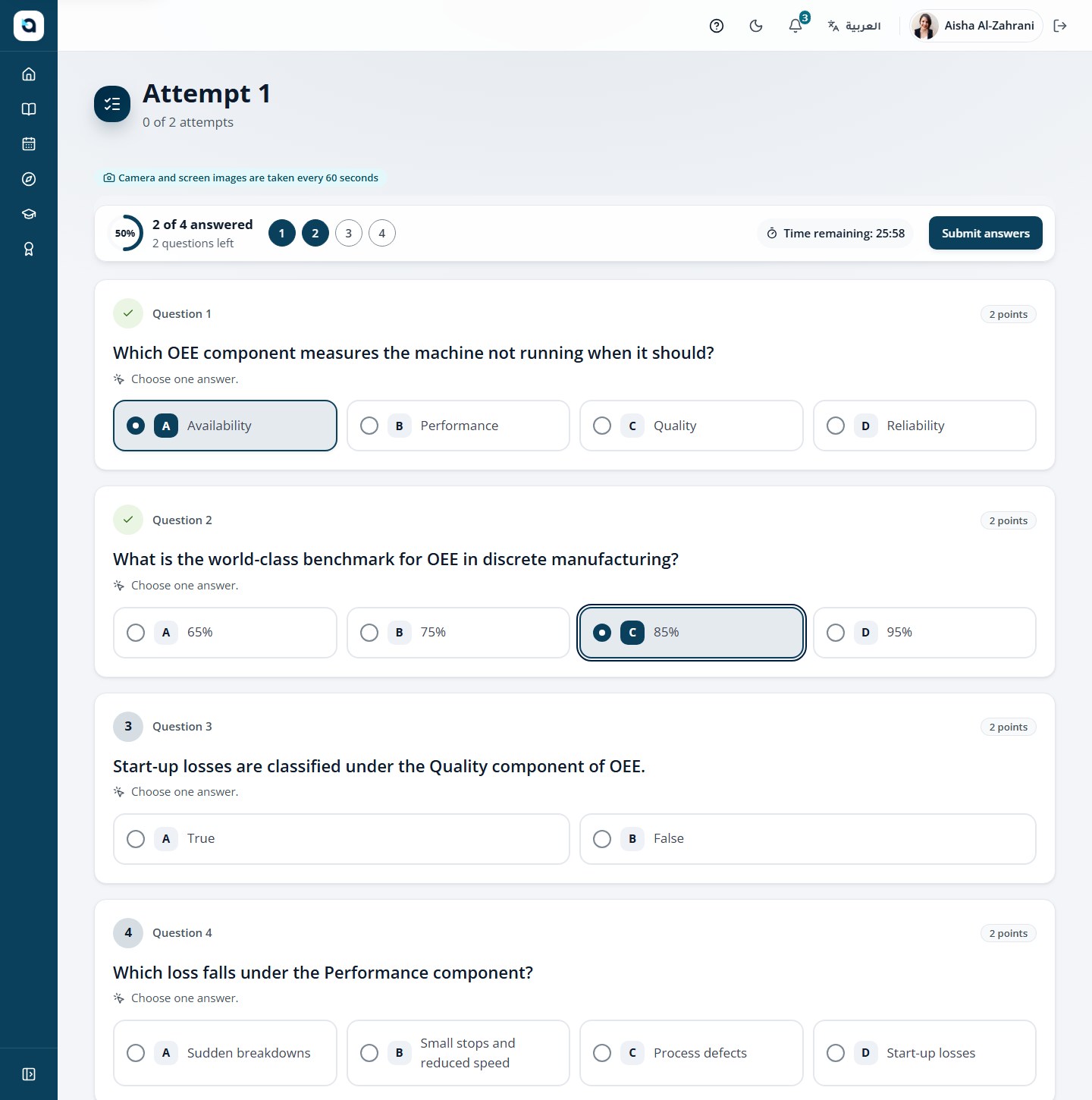
    A protected exam in progress with a timer and question navigation
  5. Result

    A score and feedback from the instructor

    Instructors grade the work and leave feedback, and the learner sees the result beside their course progress.
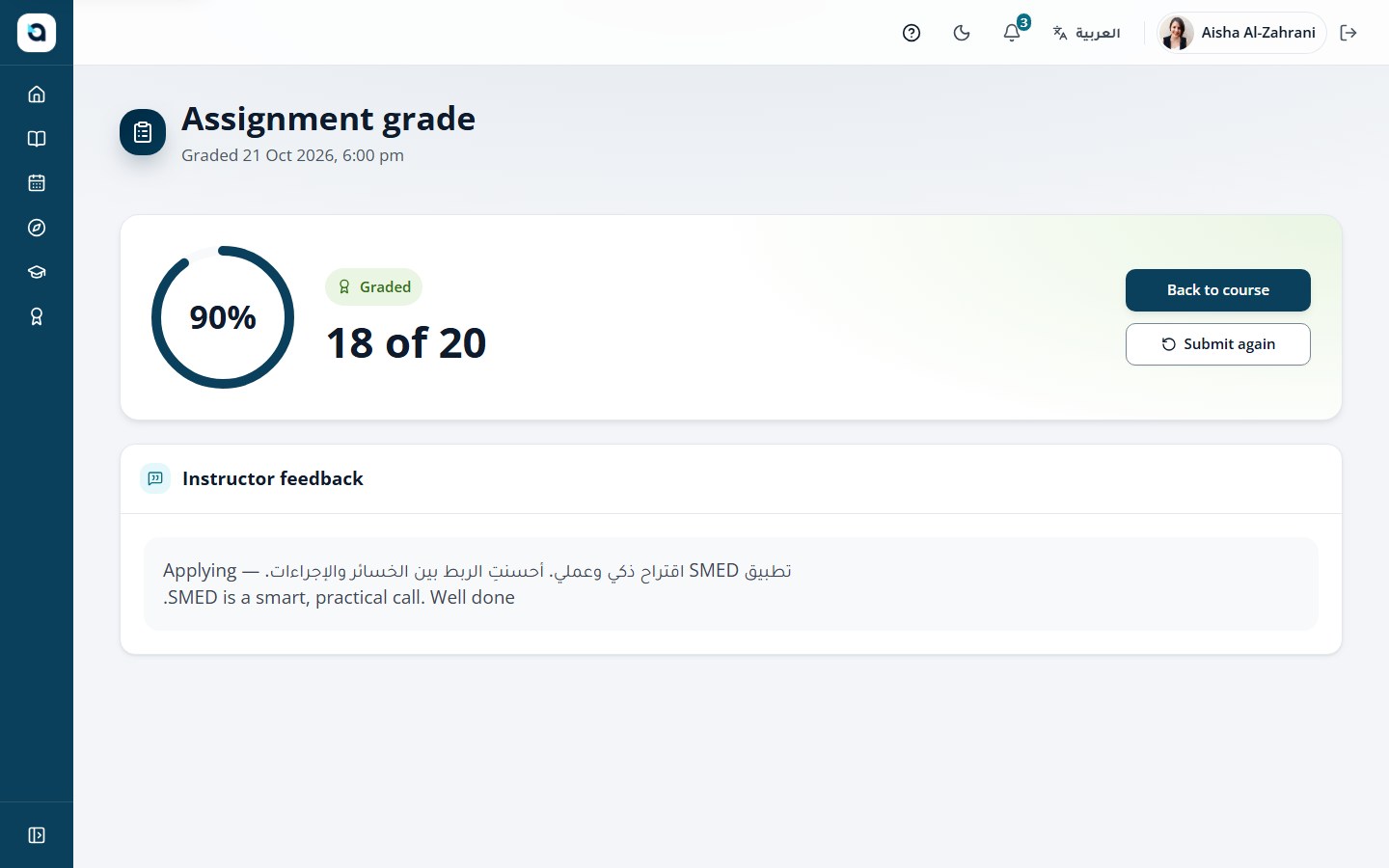
    An assignment graded 18 of 20 with the instructor’s feedback
  6. Verify

    A certificate anyone can verify

    Branded PDF certificates carry Hijri and Gregorian dates and a QR code that opens a public verification page.
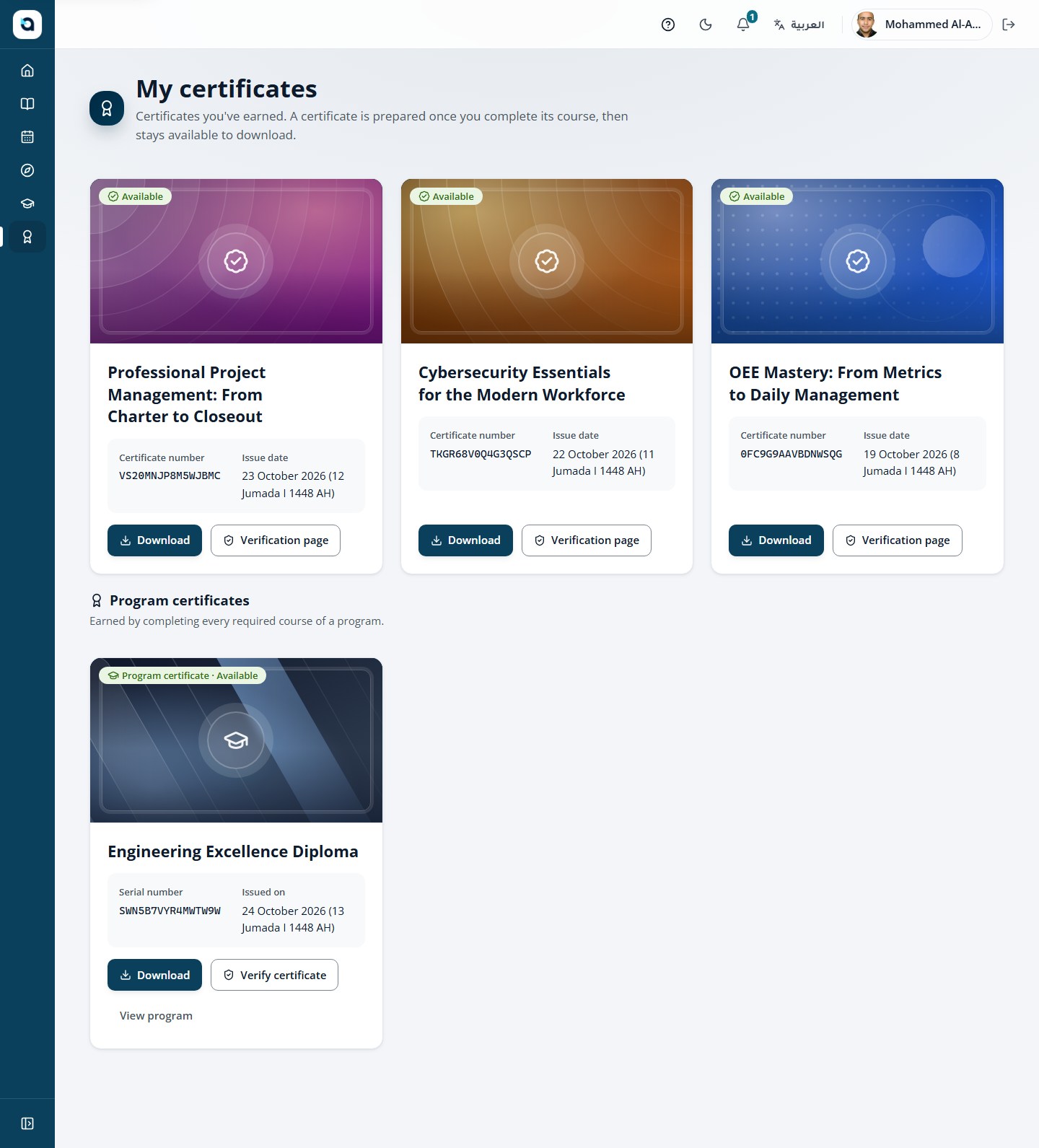
    The learner’s certificate gallery

The same journey, built for what you teach.

Follow it through a coding course or through Arabic and Islamic studies.

  • Technical training

    Teach the concept. Practise the code. Review the result.

    1. Teach
    2. Practise
    3. Submit
    4. Review
    5. Track
    6. Certify
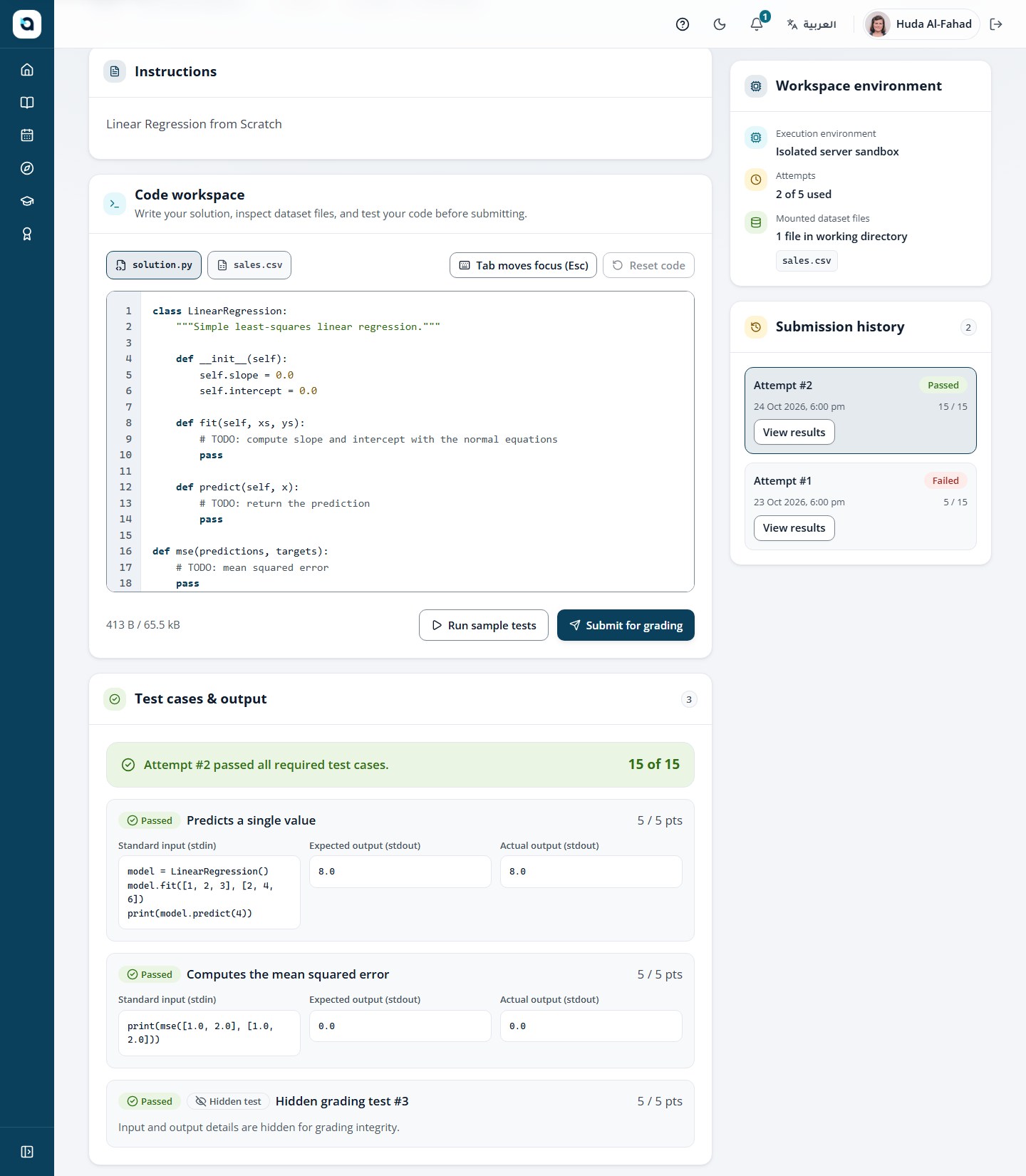
    A coding assignment with the code workspace, an isolated server sandbox and test results of 15 of 15
  • Arabic & Islamic studies

    A branded academy for Arabic and Islamic studies.
    1. Enrol
    2. Study
    3. Submit
    4. Review
    5. Feedback
    6. Certify
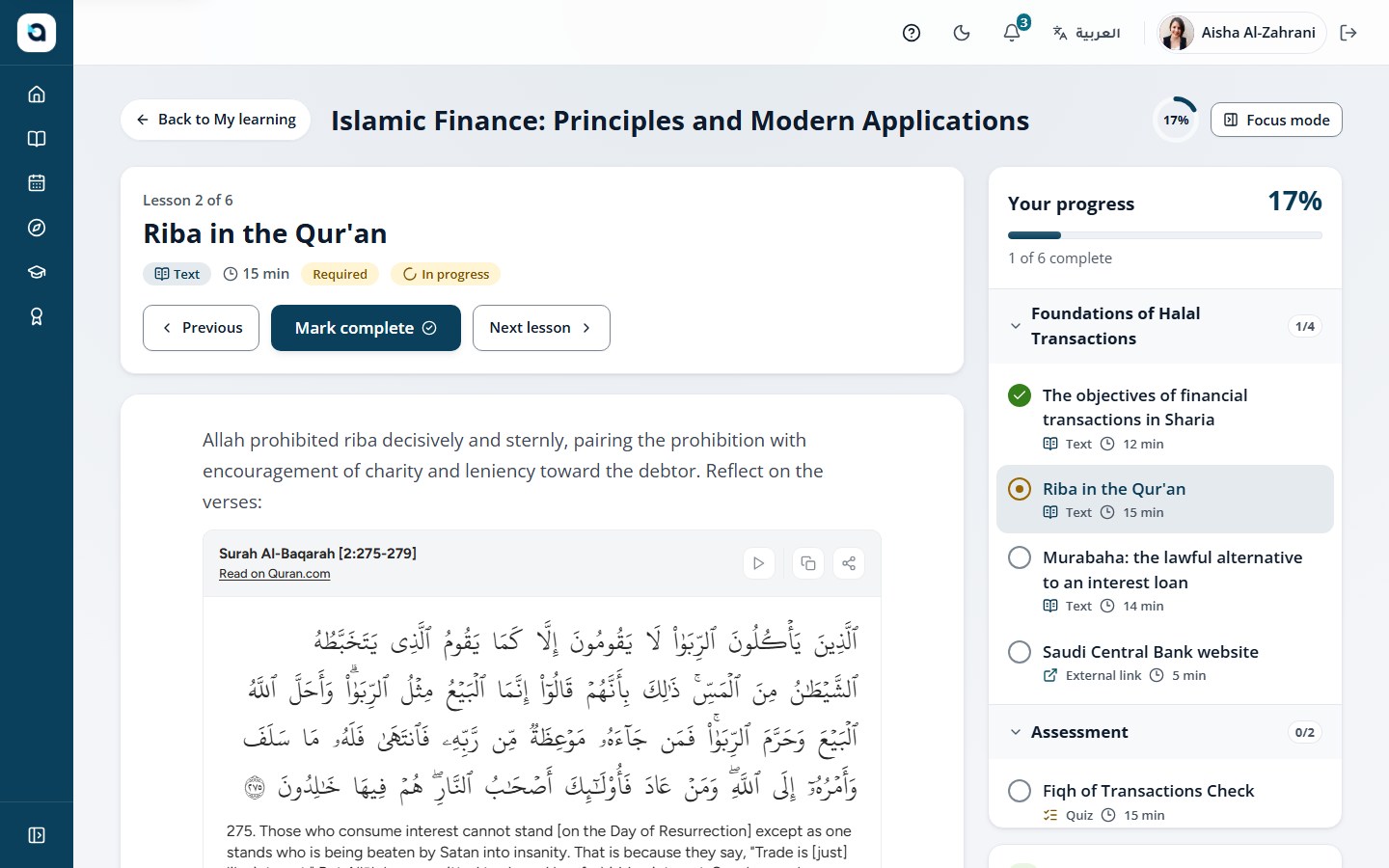
    A lesson on riba with an embedded range of ayahs from Surah Al-Baqarah and the learner’s progress

Built for the teams behind the learning.

Instructors and administrators each get a focused workspace, from the first draft to the last report.

Author & draft

  • Instructors

From an idea to a course draft. Publishing stays your call.

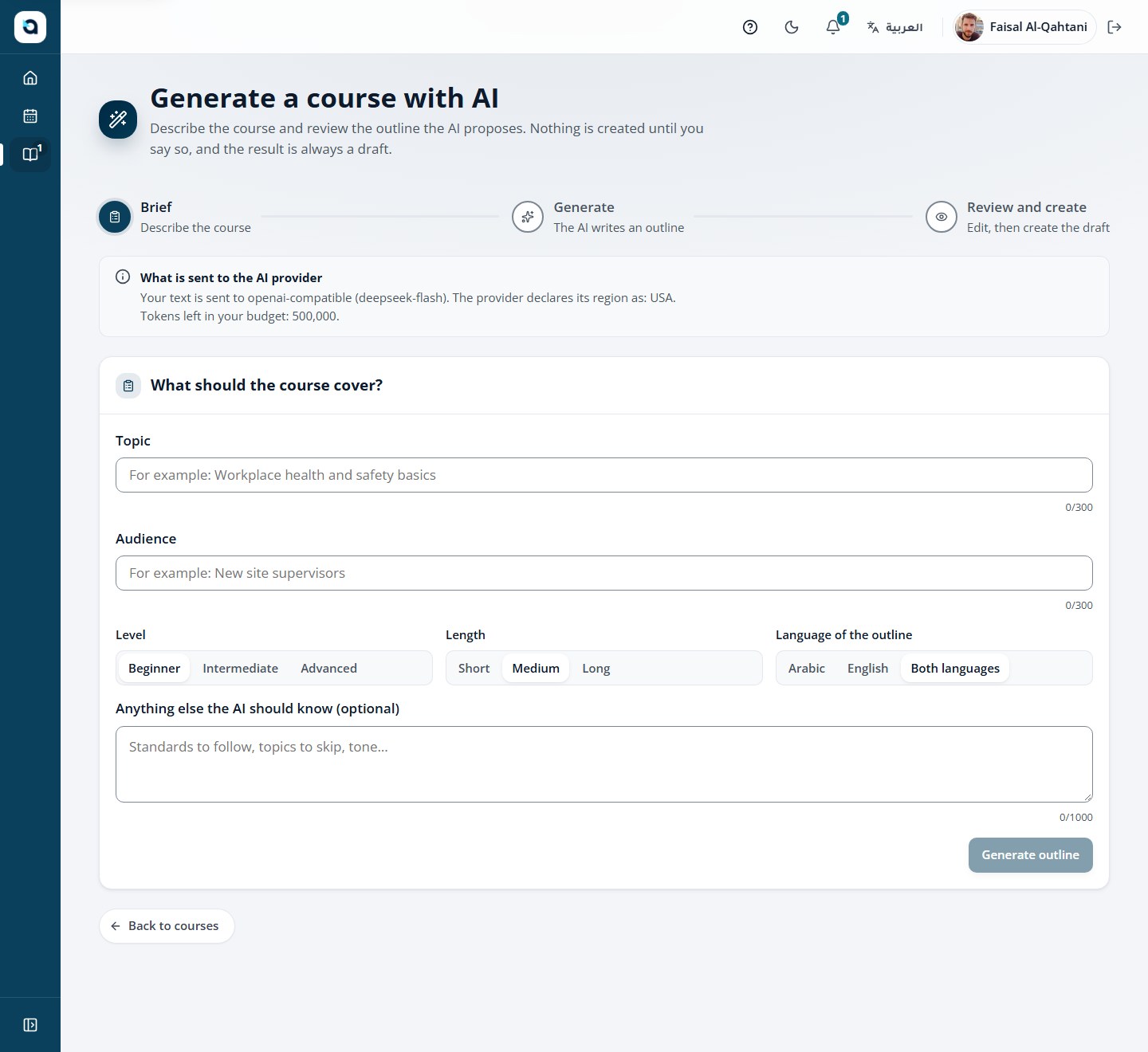
Describe a course and AI drafts the outline, lessons and questions with your own provider. Everything stays a draft, marked as AI-generated, until an instructor reviews it.
  • Outlines, lessons and questions drafted with your own AI provider
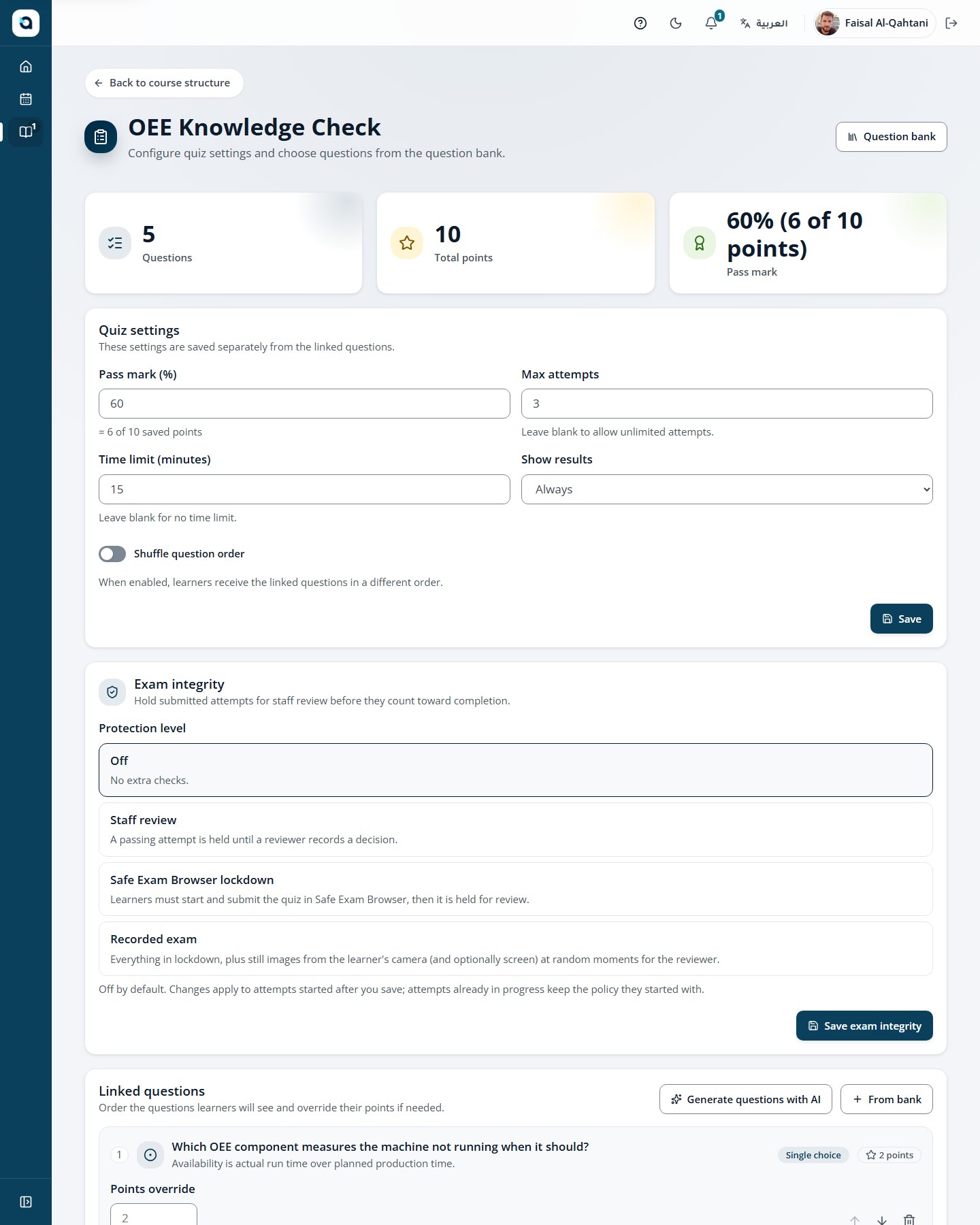
  • Quizzes, assignments and coding labs in one builder
  • Preview every lesson as a learner before publishing
AI course wizard generating an outline from a description
Quiz builder with question settings

Brand & certify

  • Administrators

Your academy wears your brand.

Your logo and colour on every screen, your certificates and your support contact.
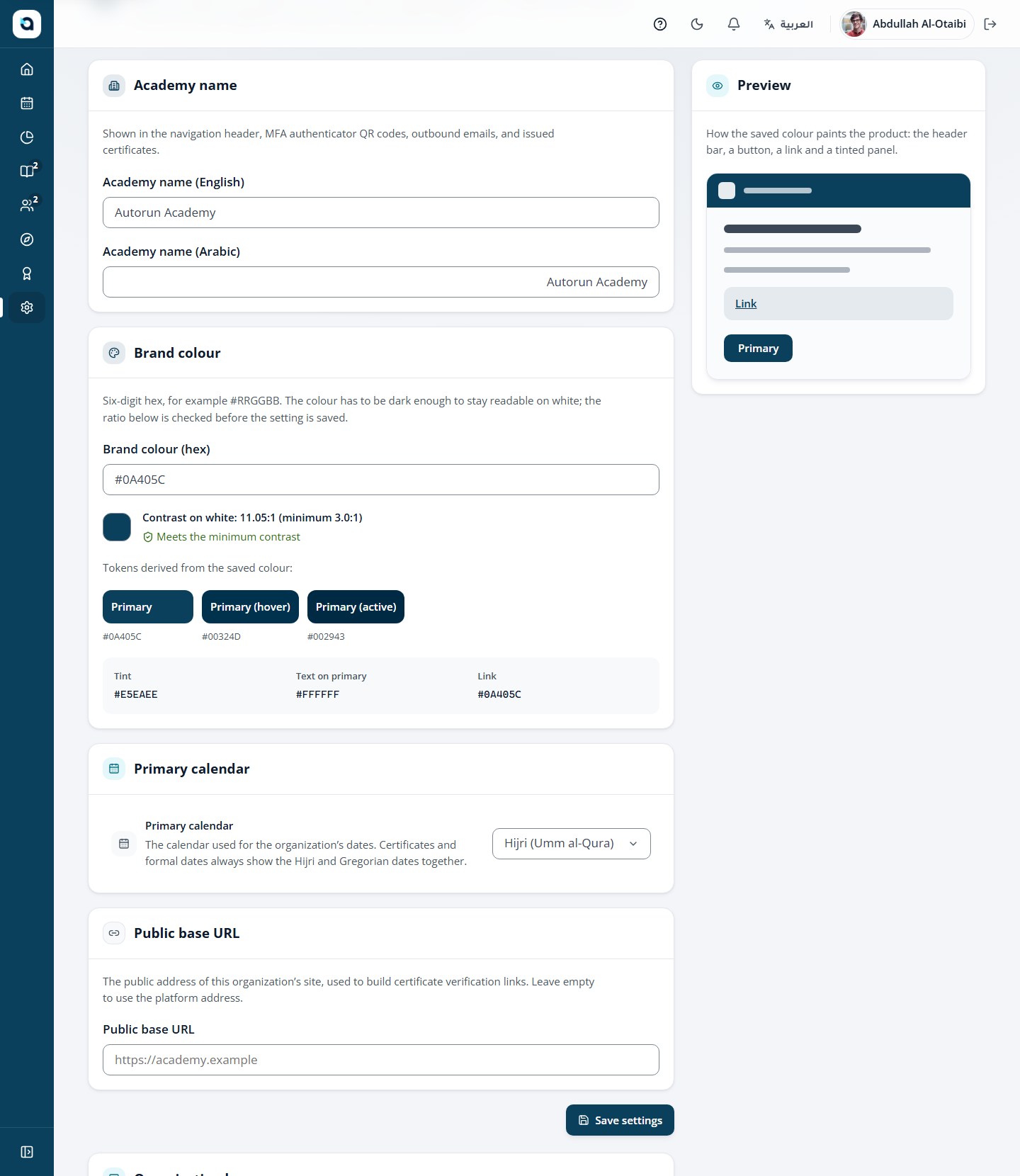
  • Academy names in Arabic and English
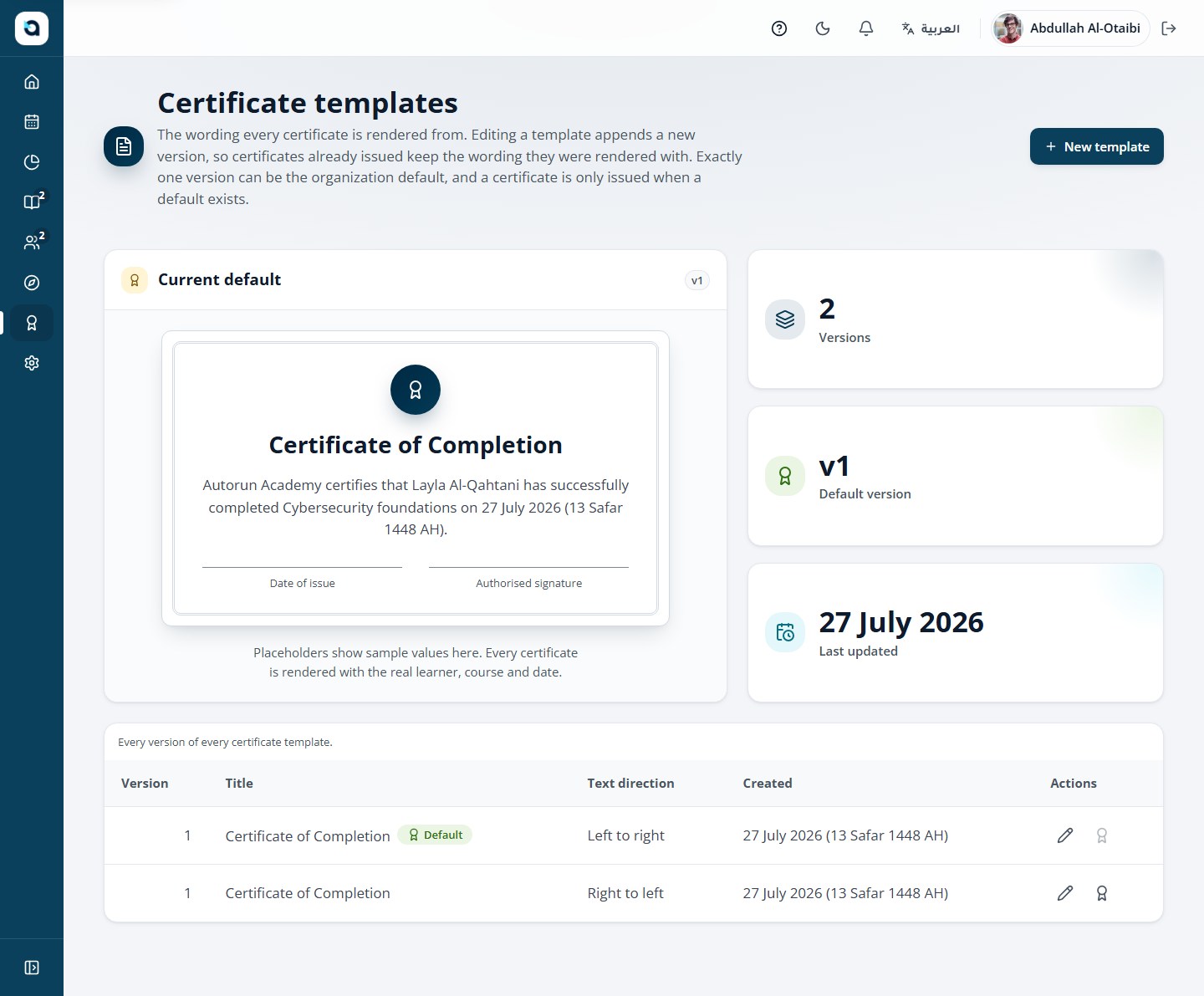
  • Certificate templates with Hijri and Gregorian dates
  • A public QR page that verifies every certificate
Academy branding settings with logo and colour
Certificate template editor

Measure & govern

  • Administrators
  • Instructors

Every outcome in view.

Dashboards, course reports and learner records, with an audit trail of sensitive actions.
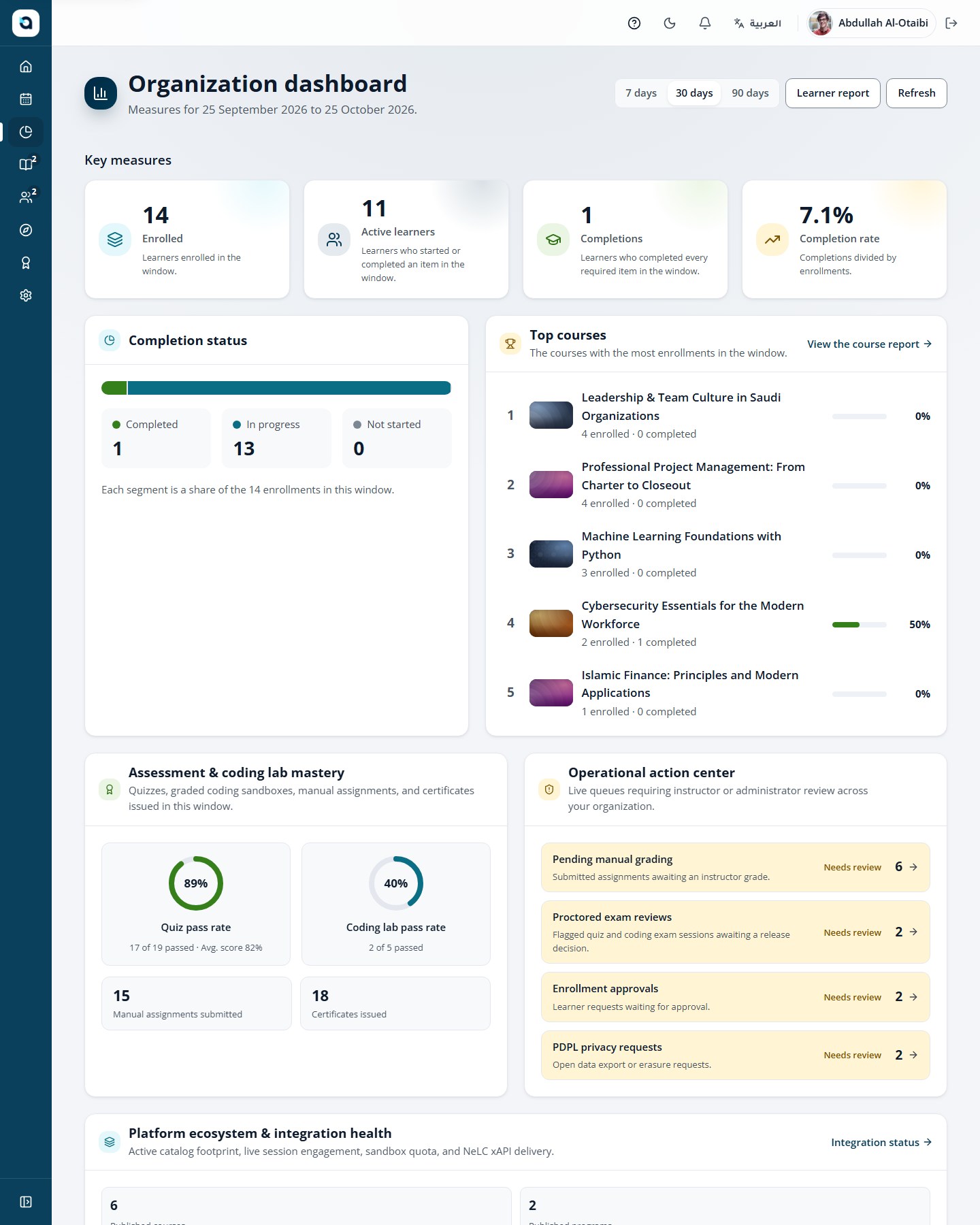
  • Course and completion reports with CSV export
  • A learner record across every course
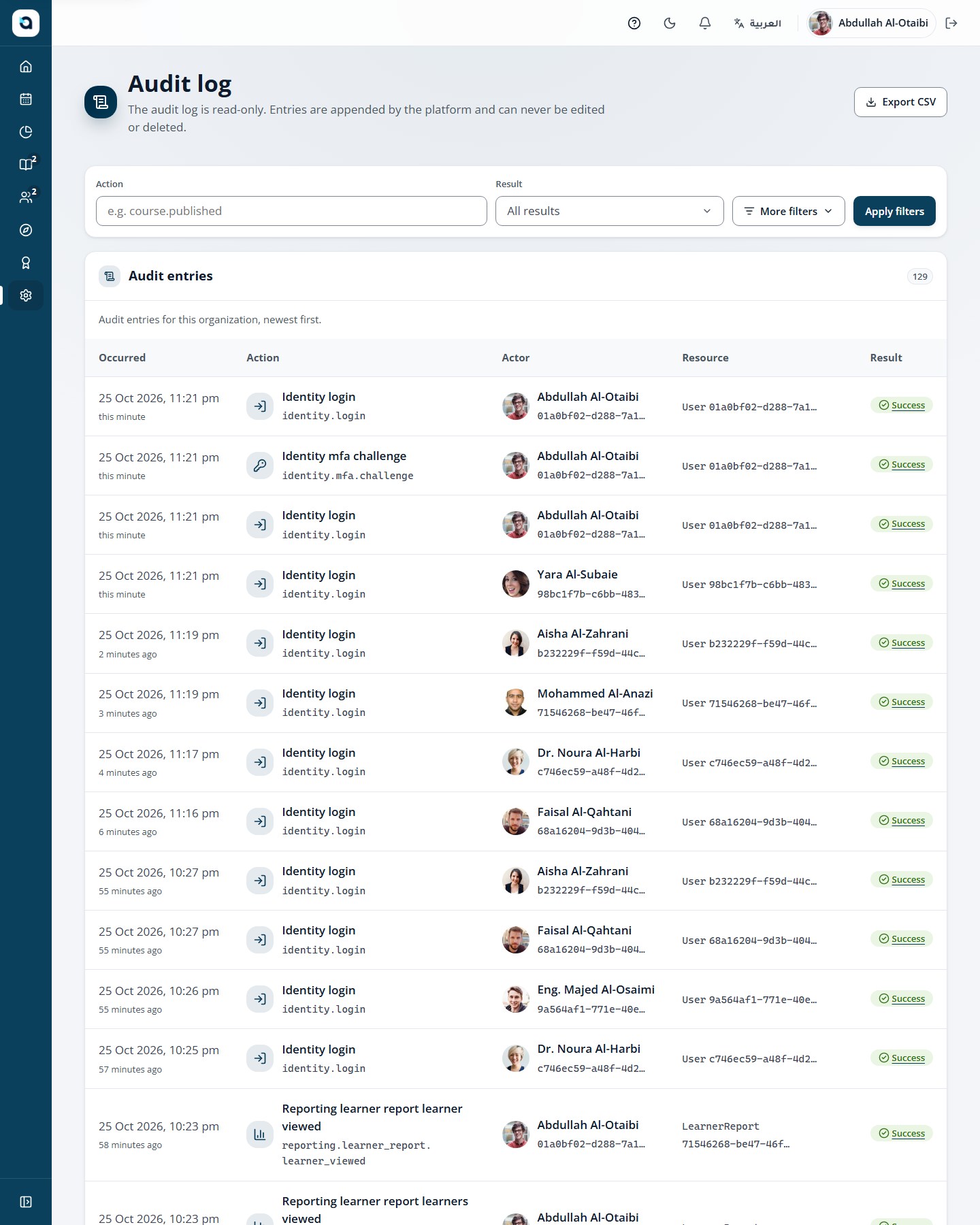
  • Audit log, custom roles and privacy requests
Organization dashboard with learners, completions and scores
Audit log of sensitive actions

Bring your existing materials.

Import the question files, learner lists, videos and documents you already have into Autorun Academy. It brings in these specific materials and formats; it does not copy another system’s database or learner history.

Import Moodle question files.

Import up to 500 questions per file in the Aiken text format used by Moodle and many older systems. A preview checks every line first, then the file imports in one step.
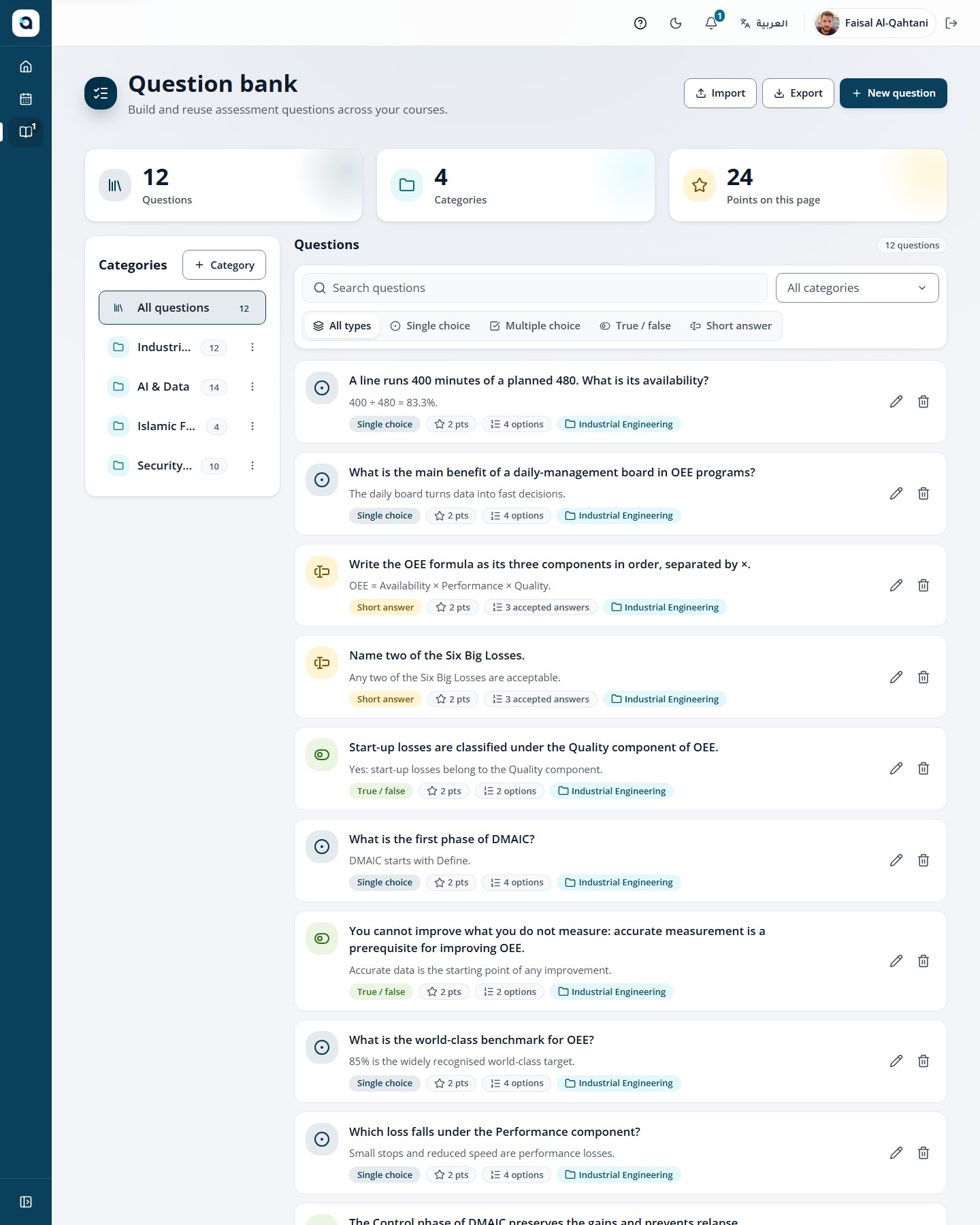
Question bank with import and export actions

Keep the lessons you already made.

Upload your videos with their caption files, add PDFs, embed content from approved sites, run Zoom sessions and keep sending learning records to your LRS.

  • Video lessons
  • .vtt and .srt captions
  • PDF lessons
  • YouTube, Vimeo and Quran.com embeds
  • Zoom live sessions
  • xAPI to your LRS
Video lesson with captions and a synchronized transcript

Bring your learner lists.

Bring learners and instructors in by the batch, not one by one.
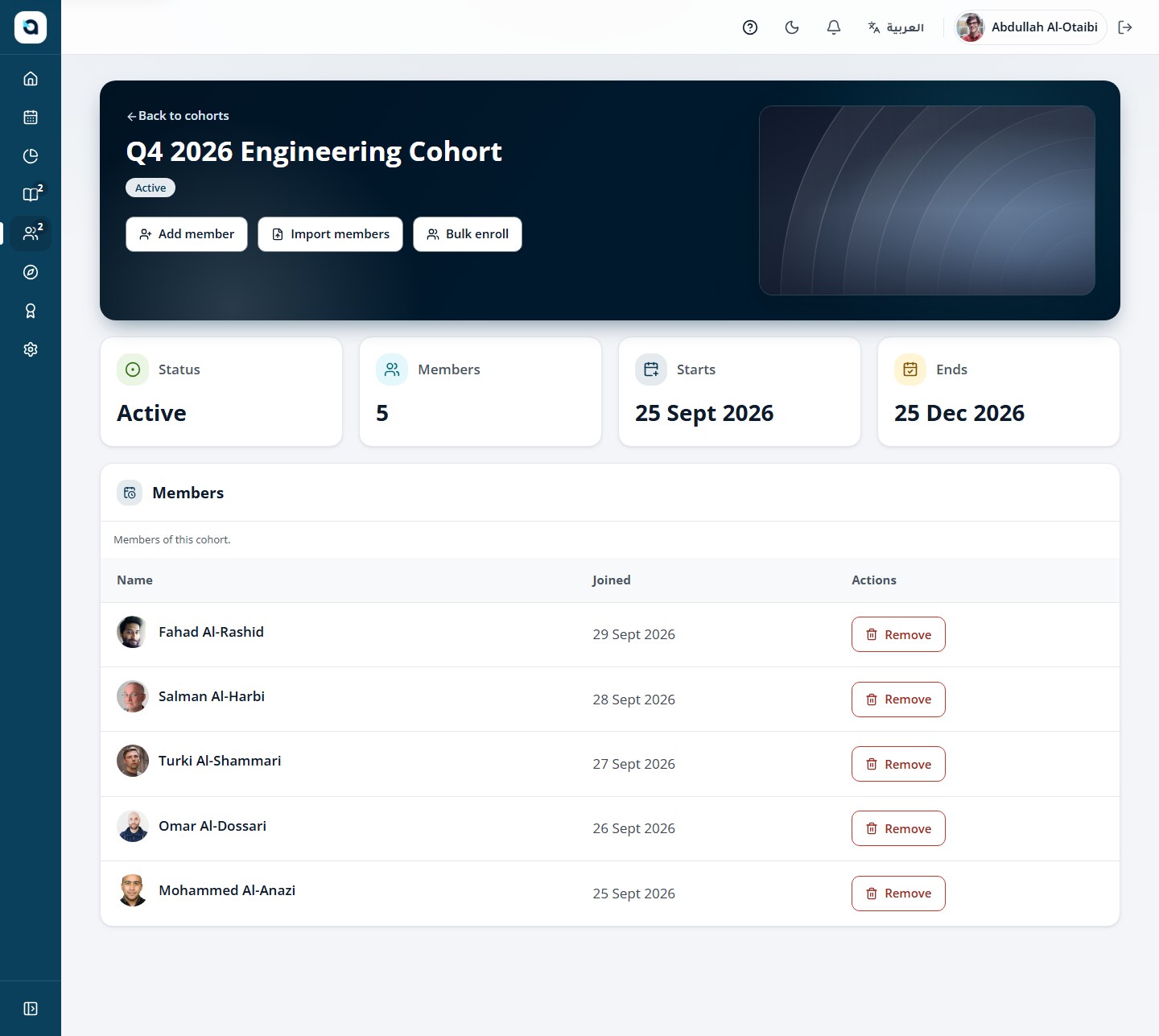
  • Bulk invitations, up to 100 at a time
  • Cohort members imported from a CSV, with a preview first
  • A whole cohort enrolled in a course in one step
Cohort page with member import and bulk enrolment

Only in one language? Add the other.

Fill in the missing language with AI, right beside the original, and review it before anything is published.
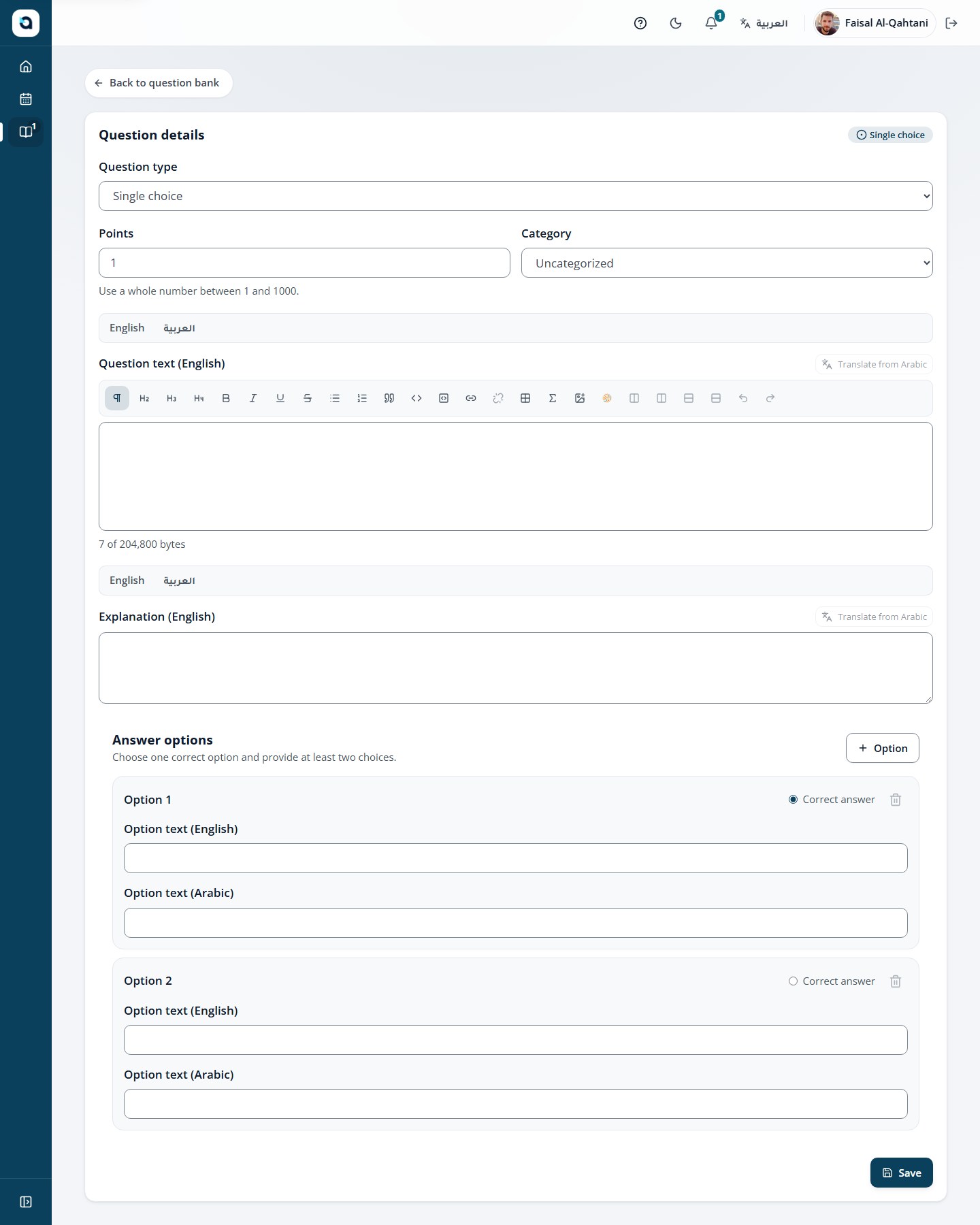
Question editor with Arabic and English fields and a translate button

Optional: let an AI assistant draft from your syllabi.

Connect Claude, ChatGPT, Copilot, a local AI model or any MCP client to Autorun Academy with a scoped, expiring token. It reads the syllabi and materials you give it and drafts courses, lessons, quizzes and question banks. A local model runs on your own hardware, so drafting carries no per-use AI fees and your syllabi stay off third-party AI services.

Everything arrives as an unpublished draft, marked as AI-generated, until an instructor reviews and publishes it. AI features can be switched off for your organization.

Technical details for administrators
  • courses:read
  • question-bank:read
  • courses:draft
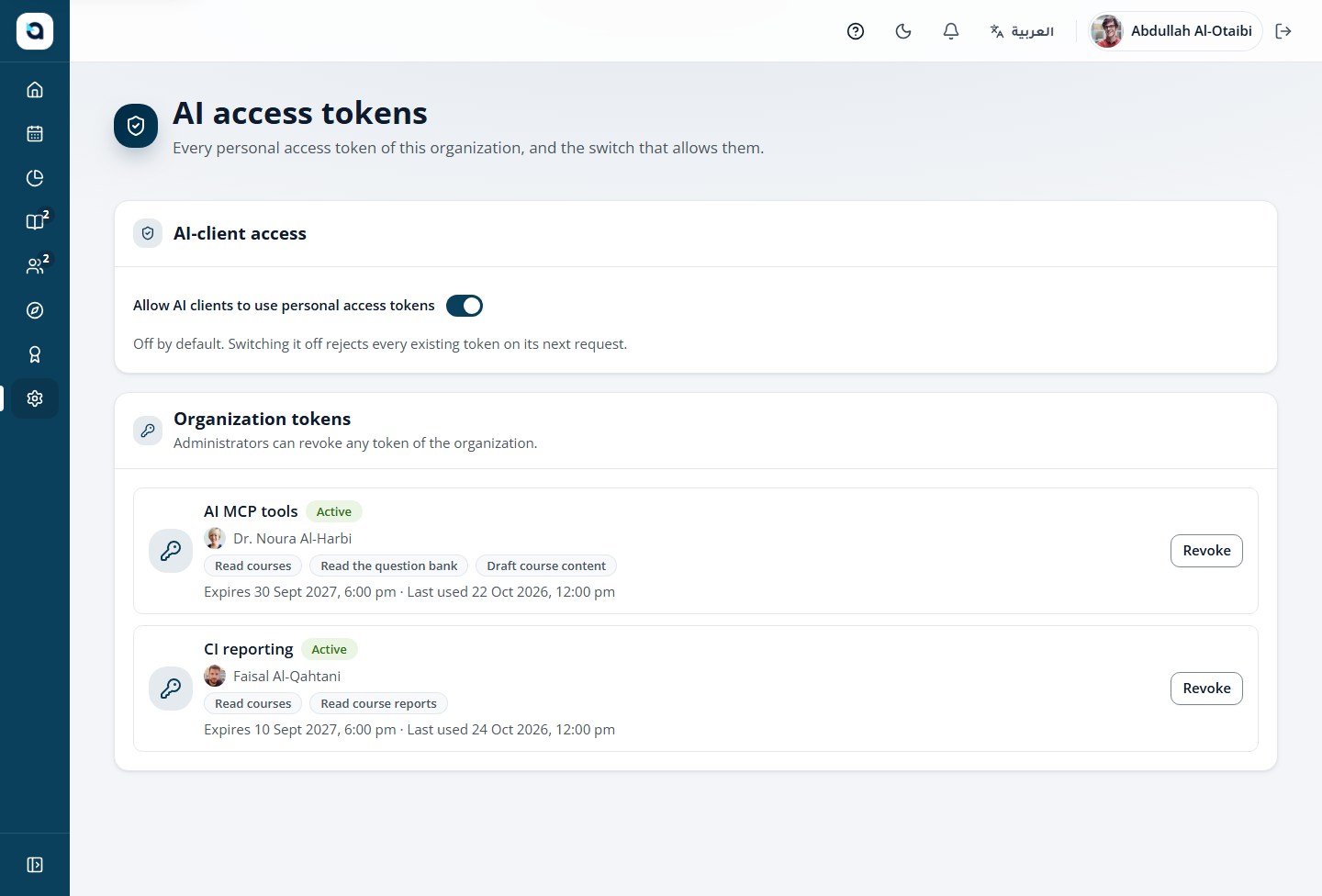
The AI access tokens screen: the organization switch for AI clients and each token with its scopes and expiry
MCP server /mcp
  1. create_course_from_outlineCourse, modules and lessons from your syllabus
  2. add_questions_to_bankYour existing questions, into a bank
  3. create_quiz_with_questionsQuizzes built from them
  4. update_draft_text_fieldsThe other language, filled in

Client configuration

{
  "mcpServers": {
    "autorun-academy": {
      "type": "http",
      "url": "https://app.autorun.academy/mcp",
      "headers": { "Authorization": "Bearer <your-token>" }
    }
  }
}
Saved as drafts for your review

Everything your team does, in four tasks.

Grouped by the work, not by the feature list.
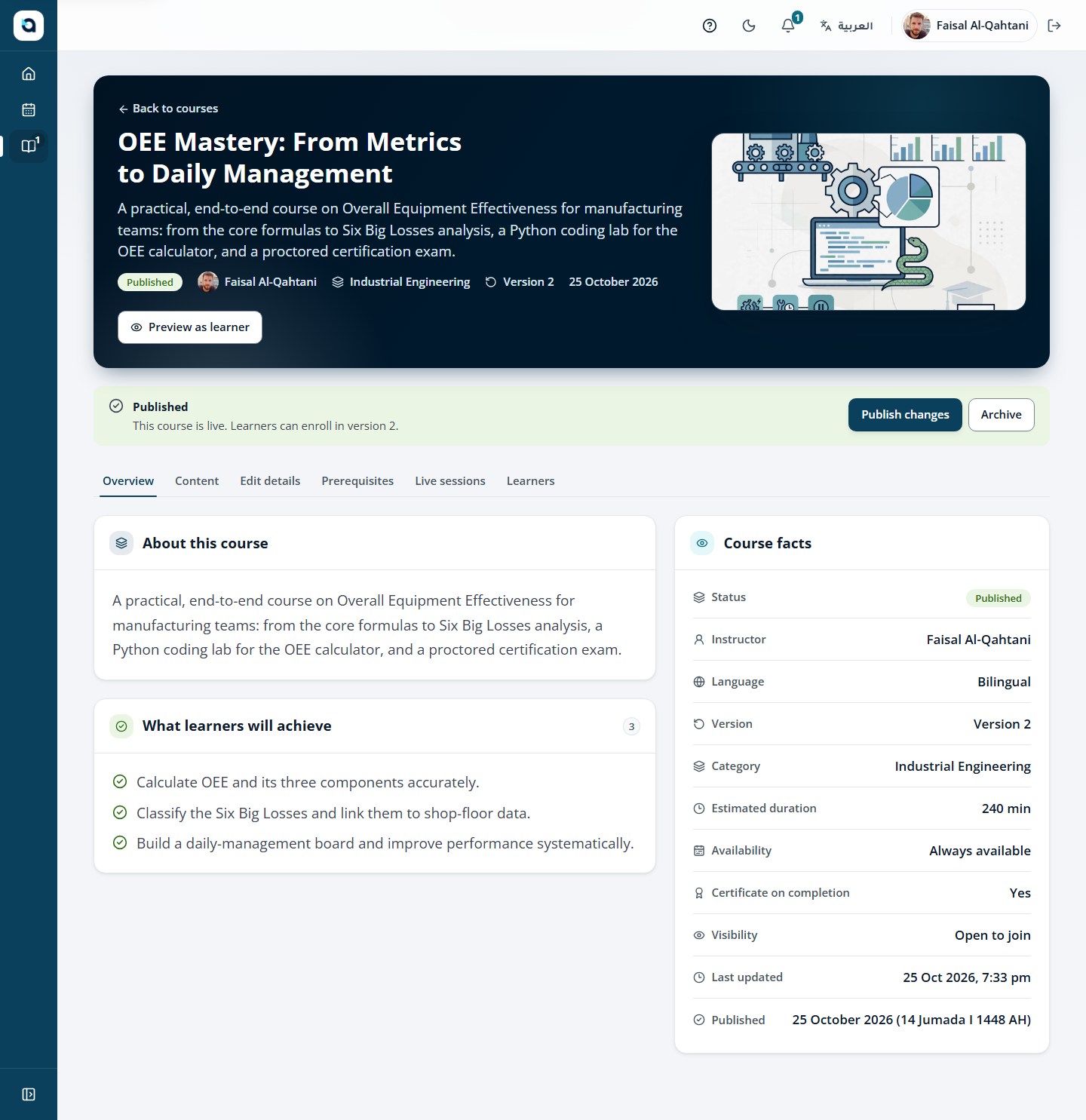
  1. Course content editor with modules and lessons

    Create

    Build the curriculum once, in both languages.
    • Multi-course programs with prerequisites
    • Bilingual course and lesson authoring
    • Reusable question banks with Aiken import
    • Optional AI drafting, reviewed before publishing
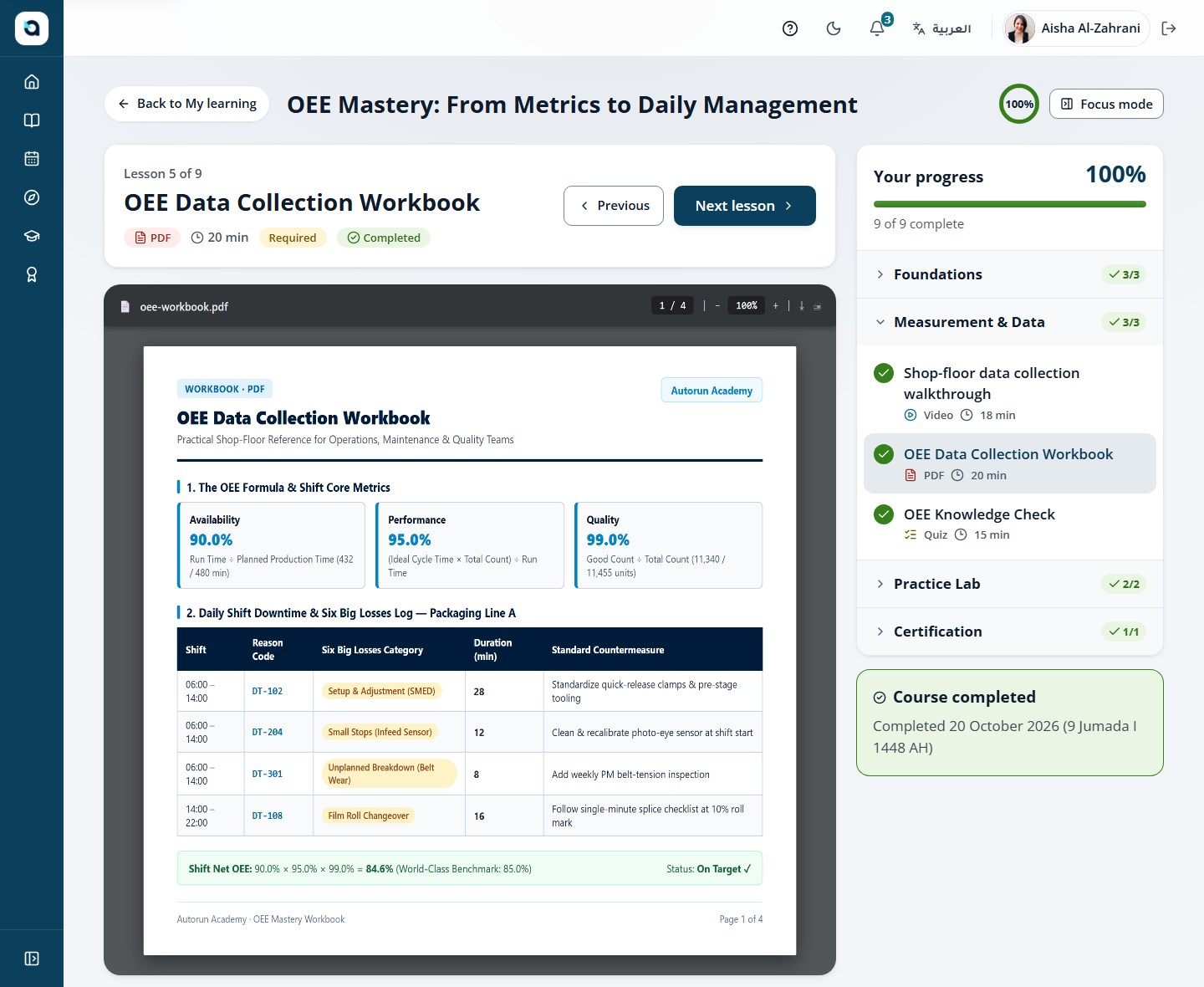
  2. A PDF lesson open in the course player

    Deliver

    Give learners the right format for each lesson.
    • Video with .vtt and .srt captions and resume
    • Rich text, PDFs and approved embeds
    • Zoom live sessions with attendance
    • In-browser coding labs
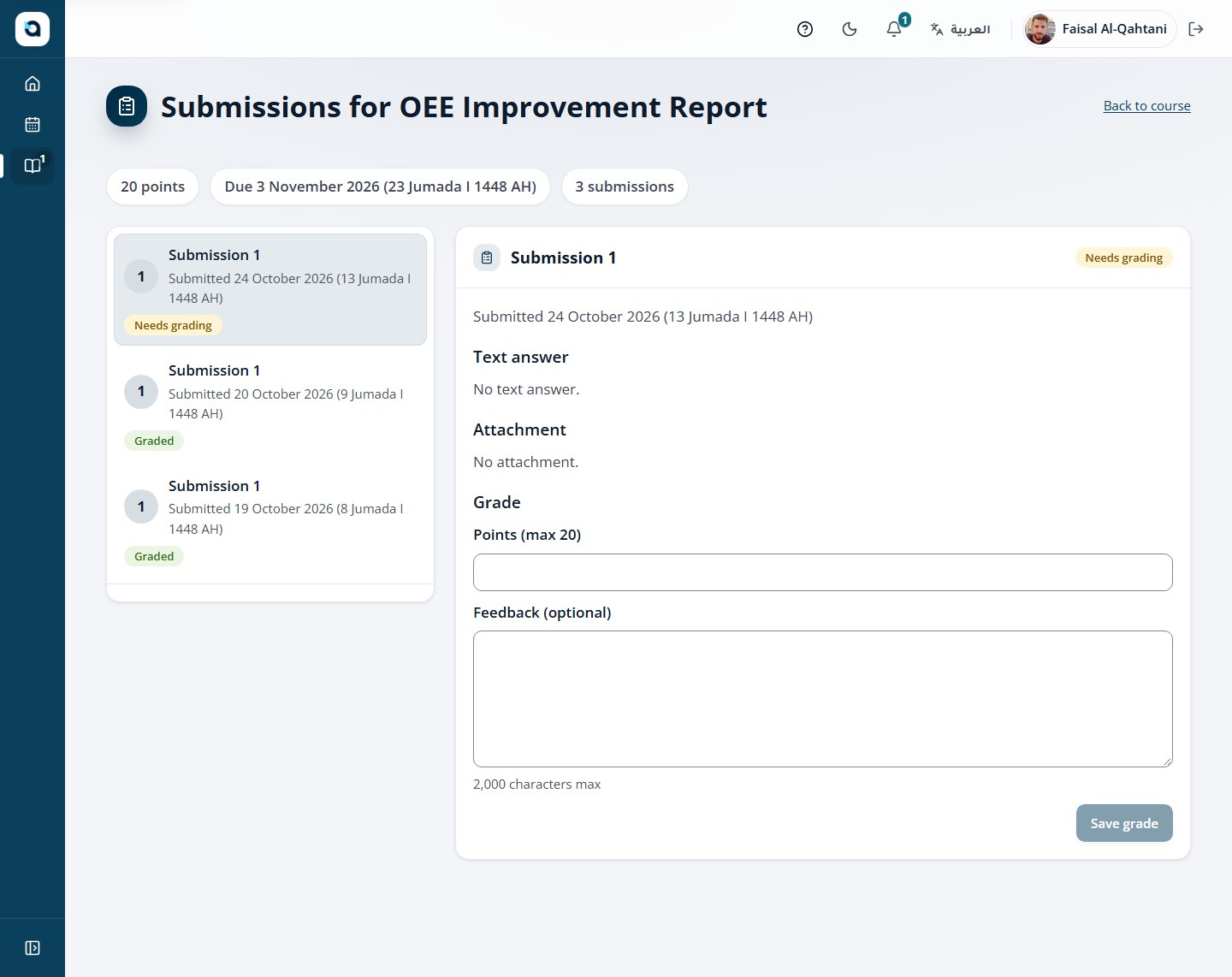
  3. Instructor grading queue with a submission, points and feedback

    Assess

    Check understanding and keep the judgement with your instructors.
    • Timed and untimed quizzes and exams
    • Text and file assignments
    • Server-graded coding assignments
    • Instructor grading with scores and feedback
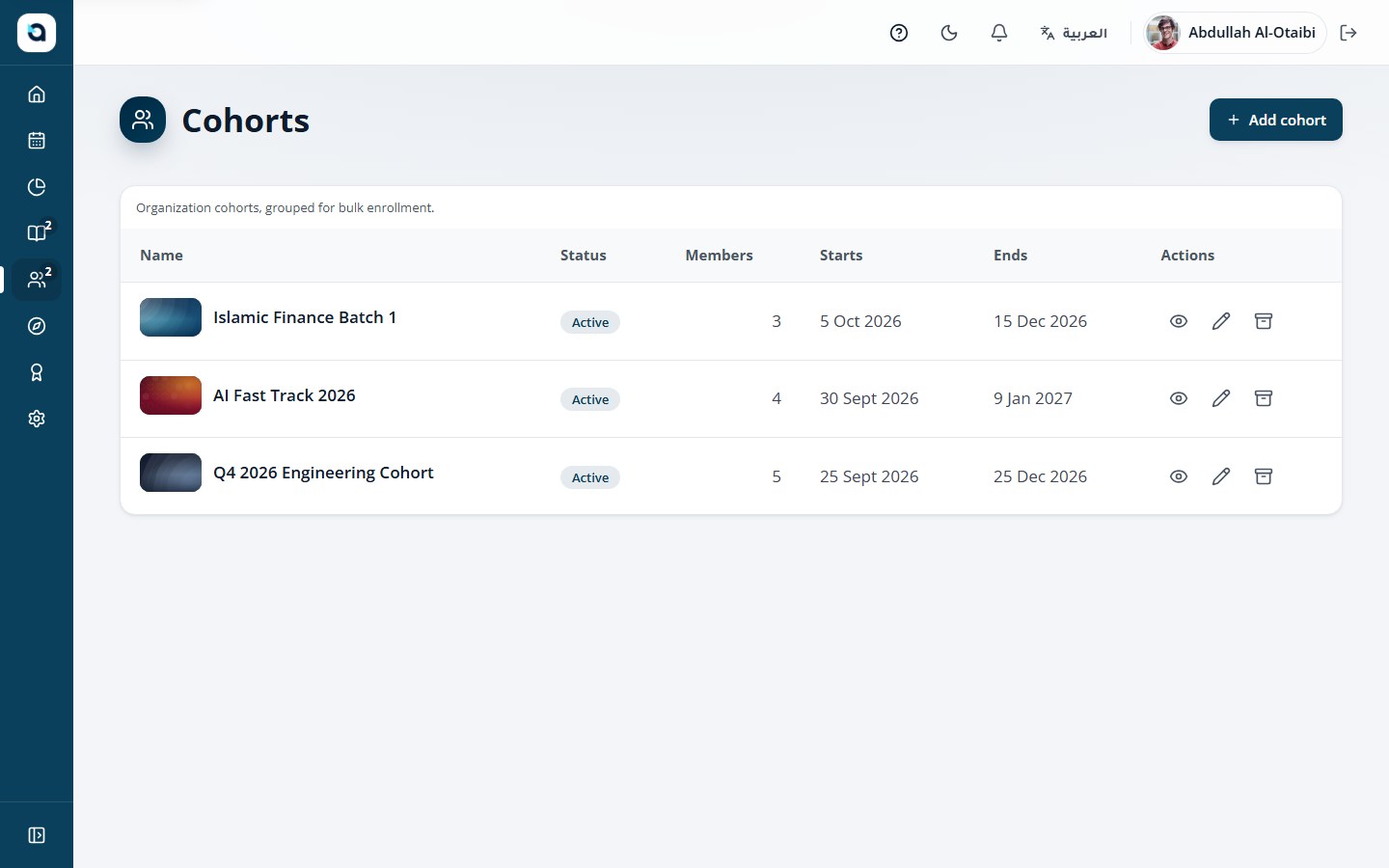
  4. Cohort list with members and enrolments

    Manage

    Run the academy under your own name.

    • Your logo, colour and calendar
    • Cohorts, bulk invitations and custom roles
    • Certificates with QR verification
    • Completion reports and xAPI delivery

See it with one of your own courses.

Bring one course or assignment from your curriculum. We will walk through it in Autorun Academy: how learners practise, how your instructors assess and what learners receive at the end.

Book a focused demo